PoE display especially with a touch panel is not a common network equipment. But when you are setting up your Home Assistant infrastructure, such display which is powered just from Ethernet often is a must have. However choosing a PoE display is not a straightforward task. Although PoE technology has existed for quite a long time, the devil is in the details. If you want the solution you are deploying to function as expected, understanding all the nuances is essential. Below we will guide you through all the important aspects, from selecting PoW switch to understanding what network cable you should use and when.
History of PoE
In the late 1990s, companies began transitioning from analog PBX systems to IP telephony. This created an unpleasant problem: traditional analog phones received power directly through the telephone cable from the PBX and continued working even during power outages, while IP phones did not. Every IP phone required a separate power outlet, making deployments more complex and expensive. Most importantly, during a power outage, IP phones became useless, including for emergency calls.
The First PoE Injectors
Before standardization, there were simple PoE "power injectors" that delivered power (AC or DC) over Ethernet cables without any intelligent protocol or safety mechanisms. Power was typically supplied through the "spare" wire pairs unused by 100BASE-TX.
This approach was dangerous—it could damage or destroy devices not designed to receive power and could not be considered a reliable solution.
Cisco developed and became the first company to deploy a proprietary version of PoE in 2000 to support scalable and manageable power delivery to IP phones. The idea was simple: emulate traditional PSTN telephone lines, which deliver 48 V DC over the same copper cable used for communication. Cisco referred to this as "inline power." The original implementation provided 7 W, sufficient for a desktop IP phone.
PoE Standardization
The next logical step for the IEEE 802.3 working group was to develop a safe method for deploying PoE.
In 1999, IEEE and the Ethernet Alliance began work on standardizing PoE to ensure interoperability between devices from different manufacturers. The first IEEE 802.3af specification was ratified in 2003. It defined the detection mechanism (25 kΩ signature resistor), power classification, and a 15.4 W per-port power limit.
Evolution of PoE driven by increasing power demands:
- 2009: IEEE 802.3at (PoE+) — up to 25.5 W, supporting PTZ cameras and high-performance wireless access points.
- 2018: IEEE 802.3bt (PoE++) — based on Cisco's proprietary UPOE implementation, delivering up to 60 W (Type 3) and 90 W (Type 4) using all four cable pairs.
Why 48 Volts?
This was not an accident—it was borrowed directly from telecommunications.
PSTN networks have used 48 V DC since the 1890s. The voltage is high enough to reduce current and power losses over long cable runs, yet remains below the commonly accepted hazardous threshold for direct current (approximately 60 V DC).
PoE simply inherited this decades-proven engineering practice.
How PoE Works
PoE transmits power over the same twisted-pair cables used for data transmission.
The system consists of two sides:
- PSE (Power Sourcing Equipment) — a switch or injector that provides power.
- PD (Powered Device) — a camera, wireless access point, IP phone, or other device that receives power.
The Physical Layer of PoE
Ethernet uses differential signaling over twisted pairs.
DC power is superimposed onto the data signal as a common-mode component. Transformers at both ends separate data from power. Data only "sees" the differential signal, while the DC component passes through the transformer center taps or, in some cases, through dedicated wire pairs.
Two methods are used to deliver PoE power:
Alternative A (Mode A)
Power is delivered over the same wire pairs that carry data (pairs 1-2 and 3-6 in 100BASE-TX). DC power is injected through the center taps of the transformers.
This is the method used by PoE switches (Endpoint PSE).
Alternative B (Mode B)
Power is delivered over the spare pairs (4-5 and 7-8), which are unused for data in 100 Mbps Ethernet.
This is commonly used by midspan injectors.
For Gigabit Ethernet, all four pairs carry data, so center-tap injection is used instead.
With IEEE 802.3bt (PoE++), all four pairs are used simultaneously for power delivery, reducing current per pair and lowering transmission losses.
Detection and Negotiation Procedure
A PSE does not blindly apply 48 V to a cable. A strict protocol exists to avoid damaging devices that do not support PoE.
Detection
The PSE applies a low voltage (2.8–10 V) and measures resistance. A valid PD contains a 25 kΩ signature resistor.
If the measured resistance falls between 19 kΩ and 26.5 kΩ, the PSE recognizes a PoE-capable device. Any other resistance is treated as a non-PoE device, and no power is applied.
Classification
The PSE applies 15.5–20.5 V and measures the current drawn by the PD through its classification resistor. Based on this current, the PD is assigned a power class (0–8), allowing the PSE to determine the device's power requirements.
Power-Up
Only after successful detection and classification does the PSE apply full operating voltage (44–57 V).
LLDP Negotiation (802.3at and Above)
After power is applied, the PSE and PD exchange LLDP packets over Ethernet to negotiate the precise power requirement. This enables dynamic allocation of the switch's power budget.
Disconnect Detection
The PSE continuously monitors current consumption. If the current drops below the minimum threshold (typically 5–10 mA) for approximately 300–400 ms, the PSE assumes the PD has been disconnected and removes power.
This also prevents exposed conductors from remaining energized after a cable is unplugged.
Power Conversion Inside the Powered Device
The PD receives 44–57 V DC, while most electronics require 3.3 V, 5 V, or 12 V. Therefore, every PD contains a DC-DC converter, typically a buck converter.
An input bridge rectifier ensures correct polarity regardless of which PoE alternative the PSE uses, allowing compatibility with any compliant power source.
Typical DC-DC efficiency ranges from 85% to 92%, which must be considered during power calculations. This is why the calculator includes a "DC-DC Efficiency" parameter.
Switch Power Budget
A PoE switch has a total power budget (for example, 240 W on a 24-port switch).
This is the total power available across all ports. If multiple high-power PDs are connected simultaneously, the switch may run out of available power and disable lower-priority ports.
Therefore, system designers must consider not only cable losses but also the total power consumption of all connected PDs.
PoE: Voltage and Power Dependence on Cable Length
Basic Parameters
PoE operates over Cat5e and Cat6 twisted-pair cabling with a maximum segment length of 100 m.
Key PoE standards:
- IEEE 802.3af (PoE) — up to 15.4 W at the PSE, approximately 12.95 W available at the PD, 44–57 V DC.
- IEEE 802.3at (PoE+) — up to 30 W at the PSE, approximately 25.5 W at the PD.
- IEEE 802.3bt (PoE++) — up to 60 W (Type 3) or 90–100 W (Type 4).

Voltage Drop
Voltage drop is linear and follows Ohm's Law.
Cable resistance is the primary factor:
- Cat5e: approximately 9.38 Ω per 100 m pair (AWG 24).
- Cat6: approximately 7.0 Ω per 100 m pair (AWG 23).
Since current flows through two conductors (outbound and return), loop resistance is equal to pair resistance.
For PoE Type 1 (two pairs) and Type 2+ (four pairs):
- 2 pairs: R_loop = R_pair
- 4 pairs: R_loop = R_pair / 2
Formula:
V_drop = I × R_loop
where:
I = P / V_source
Example for 15.4 W at 48 V over Cat5e (2 pairs, 100 m):
- I = 15.4 / 48 ≈ 0.32 A
- V_drop = 0.32 × 9.38 ≈ 3.0 V
Approximately 45 V remains at the PD, which is within specification.
Example for 60 W at 52 V over Cat5e (4 pairs, 100 m):
- I = 60 / 52 ≈ 1.15 A
- R_loop = 9.38 / 2 ≈ 4.69 Ω
- V_drop = 1.15 × 4.69 ≈ 5.4 V
Approximately 46.6 V remains at the PD.

PoE Power Losses
Power loss is calculated as:
P_loss = I² × R_loop
This creates a quadratic relationship with current and a linear relationship with cable length.
For the same 60 W / 100 m example:
- P_loss = 1.15² × 4.69 ≈ 6.2 W
- Approximately 10% of power is lost
- Delivery efficiency ≈ 90%
For 90 W / 100 m / Cat5e (4 pairs):
- I ≈ 1.73 A
- P_loss = 1.73² × 4.69 ≈ 14 W
- Approximately 16% loss
Cable heating becomes significant at this point.

Key Relationships
- Voltage drop vs. length: linear. Doubling cable length doubles voltage drop.
- Power loss vs. length: linear. Resistance increases proportionally with length.
- Power loss vs. current: quadratic. Doubling current approximately quadruples losses.
- Power loss vs. conductor size: inverse. Cat6 (AWG 23) produces roughly 25% lower losses than Cat5e (AWG 24).
- Power loss vs. number of pairs: inverse. Four pairs reduce losses by approximately 50% compared to two pairs at the same current.
Practical Implications
For short cable runs (up to 30 m), losses are negligible for any PoE class.
Challenges appear on long cable runs with high-power devices. With PoE++ Type 4 (90 W) over 100 m of Cat5e, approximately 15–16% of power is dissipated as heat. Bundled cables may overheat, and standards allow temperature rises of up to approximately 10°C within bundles containing 100 or more cables.
Example Calculation
Required load power:
48 W (for example, powering a 24-inch PoE display for Home Assistant)
Typical PD DC-DC converter efficiency:
90%
Required power at the PD input:
48 / 0.9 ≈ 53.3 W
This immediately eliminates:
- IEEE 802.3af (15.4 W)
- IEEE 802.3at (30 W)
The minimum requirement is:
IEEE 802.3bt Type 3 (PoE++)
- Up to 60 W at the PSE
- Approximately 51 W guaranteed at the PD
Since 53.3 W is already close to the Type 3 limit, minimizing cable losses becomes critical.
Cable Losses at 53.3 W PD Input Power
PSE voltage:
52 V
Four-pair operation is mandatory (Type 3).
Current:
53.3 / 52 ≈ 1.025 A
| Cable Type | Loop Resistance (100 m) | Voltage Drop | Power Loss | Required PSE Output |
|---|---|---|---|---|
| Cat5e (AWG 24) | 4.69 Ω | 4.8 V | 4.9 W | 58.2 W |
| Cat6 (AWG 23) | 3.50 Ω | 3.6 V | 3.7 W | 57.0 W |
| Cat6a (AWG 23) | ~3.1 Ω | 3.2 V | 3.3 W | 56.6 W |
Conclusion
For a 100 m cable run:
- Cat5e technically works (58.2 W remains below the 60 W Type 3 PSE limit), but the margin is only 1.8 W.
- Any contact degradation, elevated temperature, or higher-than-nominal cable resistance may cause the system to fall outside specifications.
- Cat6 should be considered the minimum recommendation.
- Cat6a is preferable for a comfortable engineering safety margin.
For cable runs of 50 m or less:
- Losses are approximately half as large.
- Cat5e is generally sufficient.
For cable runs of 30 m or less:
- Losses are roughly 1.5 W.
- Any Cat5e-or-better cable provides a substantial operating margin.
Obvious benefits of PoE Displays
1. Simplified Installation
The most immediate advantage of PoE monitors is their simplified installation process. Traditional displays require both power and data connections, often leading to a convoluted network of cables. Such monitors consolidate these needs into a single Ethernet cable, reducing installation time, complexity, and the need for additional electrical infrastructure.
2. Cost-Efficiency
The streamlined installation process translates to cost savings. By eliminating the need for separate power cables and outlets, businesses can significantly reduce installation and maintenance expenses. Monitors powered over Ethernet are especially cost-effective in scenarios where electrical work can be challenging, such as retrofitting existing structures.
3. Enhanced Flexibility
PoE monitors offer enhanced flexibility when it comes to display placement. Since they are not reliant on proximity to power outlets, engineers and businesses have the freedom to install displays where they are most needed, without being restricted by electrical considerations. This adaptability is especially valuable in dynamic environments that require quick changes and reconfigurations.
4. Energy Efficiency
Power over Ethernet technology also promotes energy efficiency. By delivering power only when and where it is needed, it reduces energy consumption and contributes to a greener, more sustainable approach to technology deployment. This makes PoE monitors an excellent choice for environmentally conscious organizations.
5. Centralized Control
For engineers working on industrial systems, building automation, and security applications, PoE monitors provide a means of centralized control and monitoring. These displays can be strategically placed to offer real-time information and control options, making them an indispensable component of complex systems.
PoE Network Components
1. PoE Switch — the Central Component
A PoE switch is the main device in a PoE infrastructure. It functions both as a network switch, transmitting data, and as a power source — the PSE.
Inside it, there are several key subsystems:
Power Supply Unit (PSU) — defines the total power budget. It may be internal or external, single or redundant. A 240 W budget on a 24-port switch means 240 W total, not 240 W per port. High-quality models usually have a 20–30% PSU margin above the declared total budget, while cheap models often operate at the limit.
PoE controller — the chip that manages power delivery to each port. It performs PD detection, classification, voltage switching, current monitoring, short-circuit protection, and overload protection. Major controller manufacturers include Texas Instruments, Microchip/Microsemi, Broadcom, and Maxim. Cheap switches may use no-name controllers or simplified circuits without full detection, which often causes compatibility problems.
MOSFET switches — power transistors through which power is supplied to each port. The controller opens them after successful PD detection and closes them during disconnect or overload. MOSFET quality affects internal losses and heat generation.
Center-tap transformers — separate data and power in Mode A. Power is injected through the center tap, while data passes through the windings as a differential signal. In Mode B, transformers are not involved in power delivery; current flows directly through the spare pairs.
Switching fabric / switch ASIC — the network part of the switch. It handles packet switching, VLANs, QoS, and other network functions. It is not directly related to PoE, but in managed switches PoE control is integrated into the management plane.
Cooling — under full load, a 24-port PoE+ switch may dissipate 50–80 W of its own heat, plus losses in the PoE power circuits. Passive cooling is quieter and more reliable, but limits available power. Active cooling allows a higher power budget, but fans are noisy and eventually fail.
PoE Switch Classification
Unmanaged — plug-and-play, no configuration. Suitable for home and small office use. No VLANs, no port prioritization, no monitoring. If the power budget is exhausted, behavior can be unpredictable.
Smart / Web-managed — basic web interface, VLANs, QoS, and sometimes per-port PoE control. Mid-range segment and usually a good balance for small businesses.
Fully managed (L2/L3) — full feature set: CLI, SNMP, LLDP-MED, per-port power limits, PoE priority levels, scheduled PoE, and PoE watchdog. Required for serious installations.
2. PoE Injector
A separate device that adds power to a regular non-PoE switch connection.
Input: Ethernet from the switch plus 220 V power.
Output: PoE cable to the PD.
Injectors can be single-port or multi-port, such as 8-, 16-, or 24-port midspan panels. They are used when the existing switch is good but does not support PoE, and replacing it is not practical.
3. PoE Splitter
A splitter is installed on the PD side. It receives PoE power at 48 V and separates it into two outputs:
- Ethernet data
- DC power: 5 V, 12 V, or 24 V
It is used for devices that do not natively support PoE, such as a regular IP camera without a built-in PoE PD controller, or a Raspberry Pi.
4. PoE Extender
A PoE extender is installed inline to extend a cable run beyond 100 m.
It is powered from the PoE line and retransmits both data and power further down the cable. Each extender consumes around 2–4 W and adds latency.
5. PD — Powered Device
Powered devices include IP cameras, Wi-Fi access points, VoIP phones, door intercom stations, LED lighting, and IoT sensors.
Inside every PD there is a PD controller, for example TI TPS2372 or Microchip PD70xxx. It contains the detection signature resistor, classification circuit, and DC-DC converter.
6. Cabling Infrastructure
This includes Cat5e, Cat6, or Cat6a twisted-pair cable, patch panels, patch cords, and RJ-45 connectors.
For PoE++, crimping quality is critical. A poor contact at currents above 1 A causes heating and connection degradation.
For outdoor runs, outdoor-rated cable with UV and moisture protection is required, along with surge protection at both ends.
7. UPS / Backup Power
One of the main advantages of PoE is centralized backup power.
A single UPS connected to the PoE switch can protect all powered devices at once.
This is different from distributed power adapters, where each device would require its own UPS.
PoE Switch — Why the Switch Is the Most Important Component
The switch is the only point through which both power and data pass for all network devices.
If one camera fails, only one camera is lost, if the switch fails, everything is lost - simple.
Power Supply Unit
The PSU is the heart of a PoE switch.
Everything else — logic, controllers, ports — is useless if the PSU cannot deliver the stated power reliably and continuously. The total power budget is the key number. It defines how many devices can actually be powered.
Example: a 24-port PoE switch with 30W per port could theoretically require 720W. If its total budget is 370W, only about 12 ports can operate at full power. The remaining ports will either receive less power or be disabled.
A high-quality PoE switch states its budget honestly and provides prioritization mechanisms. A cheap one may simply fail unpredictably.
The PSU type can be internal or external. An internal PSU is more compact, but if it fails, the whole switch must be replaced or serviced. An external PSU is easier to replace, but adds cables and additional failure points.
Enterprise PoE switches often use modular PSUs. They can be removed and replaced without shutting the switch down — hot-swap.
Redundant power means two PSUs or two power inputs. If one fails, the second takes over the load. For critical installations such as security cameras, access control, or office VoIP, redundancy is mandatory. Cheap PoE switches usually have only one power input. If power is lost, everything goes down.
PSU quality matters. Cheap PoE switches save money on capacitors, transformers, and filters.
The result: output ripple, degradation under load, overheating, and reduced lifetime.
A good PSU uses quality capacitors, has proper overload, short-circuit, and overvoltage protection, and is designed with thermal margin.
Ports and Switching Fabric
Port speed:
- Gigabit Ethernet — the minimum for a modern network.
- Multi-Gig 2.5G / 5G / 10G — for Wi-Fi 6 and Wi-Fi 7 access points, where 1 Gbit/s may not be enough.
- SFP / SFP+ uplinks — for 10G or higher backbone connections.
Not every port on a PoE switch is necessarily PoE.
A typical configuration is 24 or 48 PoE ports plus 2–4 non-PoE SFP uplinks. Some models provide PoE only on part of the ports, for example 8 out of 16. This must be checked before purchase.
Switching capacity defines how much data the switch can forward simultaneously. For a non-blocking 24-port Gigabit switch, 48 Gbit/s is required:
24 ports × 2 directions × 1 Gbit/s.
If the stated switching capacity is lower, the switch may drop packets under full load. The MAC table defines how many MAC addresses the switch can store. For a small network, 2K–4K entries are enough. For enterprise networks, 8K–16K is preferable.
Power Management
This is what separates a serious PoE switch from a cheap plug-and-play device.
Per-port power limit — allows setting a maximum power limit for each port. If a camera normally consumes 12 W, you can set a 15 W limit. If the camera fails and starts drawing 25 W, the PoE switch disables the port instead of collapsing the whole power budget.
Power priority — high, normal, low. When total consumption approaches the available budget, the switch disables low-priority ports, such as LED lights, while keeping high-priority devices powered, such as security cameras or access control. Without prioritization, a random port may be disconnected.
PoE scheduling — turns power on and off according to a schedule. For example, Wi-Fi access points can be powered off at night when the office is empty, saving electricity and device lifetime.
PoE watchdog — the PoE switch pings the PD and automatically power-cycles the port if the device stops responding. For remote cameras and access points that cannot be physically reached, this is a critical feature.
LLDP-MED / CDP — protocols through which the PD reports its exact power requirement to the PoE switch. The switch allocates budget dynamically based on the real request, not only on a fixed class. This allows more devices to be connected within the same total budget.
Protection Features
ESD protection — at least 6 kV per port. A person plugging in a cable may carry 15 kV of static electricity. Without ESD protection, the port can burn out.
Surge protection — typically 4–6 kV. Mandatory for switches connected to outdoor devices over long cable runs. Lightning does not need to strike the cable directly; a nearby strike can induce enough voltage to destroy a port.
Short-circuit protection — protects against a short circuit in the cable or on the PD side.
Overload protection — protects against excessive current on an individual port and against total PSU overload.
Thermal protection — if the switch overheats, it reduces power or disables PoE. Cheap models may simply overheat and fail.
Cooling
Fanless / passive cooling — silent, reliable, and has no moving parts. But it limits the power budget, typically to around 120–180 W. Ideal for offices, meeting rooms, and homes.
Active cooling / fans — allows power budgets of 370–740 W and higher. The downside is noise. Fans collect dust and typically fail after 3–5 years. These switches belong in a server room or network cabinet.
Smart fan control — fan speed is regulated according to temperature. Quiet at low load, faster under full load. Usually the best compromise.
Form Factor and Mounting
Desktop PoE switch — compact, usually 5–16 ports. Suitable for homes and small offices.
Rackmount 1U PoE switch — 19-inch rack format, typically 24–48 ports. Standard for server rooms.
DIN-rail PoE switch — industrial mounting inside an electrical cabinet. Used in building automation, factories, and outdoor installations.
Wall-mount PoE switch — wall-mounted, often in an IP65 enclosure. Suitable for utility rooms and aggregation points.
How to Distinguish High-Quality PoE Equipment from Cheap Alternatives
1. IEEE Compliance vs. Passive PoE
This is the most important indicator.
Passive PoE injectors simply apply a fixed voltage, typically 24 V or 48 V, without detection, classification, or negotiation. They do not comply with IEEE 802.3af, 802.3at, or 802.3bt standards.
This means that if a non-PoE device is connected, either the port or the device itself may be damaged. There is also no mechanism for current limiting or overload protection.
A quality PoE device explicitly specifies support for a particular IEEE standard, such as:
- IEEE 802.3af
- IEEE 802.3at
- IEEE 802.3bt
If the specification simply says "PoE" without referencing a standard, or explicitly states "Passive PoE," that should be considered a red flag.
2. Power Budget vs. Total Port Capacity
This is a classic trick used by low-cost switches.
A switch may advertise:
"8 PoE+ ports, 30 W per port"
while the total power budget is only:
65 W
In reality, only two of the eight ports can operate at full power simultaneously.
The combined power consumption of all PDs must remain below the switch's total power budget.
For example:
- A switch with a 240 W budget can power approximately 15 IEEE 802.3af devices (15.4 W each).
- The same switch can power only 8 IEEE 802.3at devices (30 W each).
The calculation is simple:
Number of ports × Maximum power per port
If the power budget is significantly lower than that value, the switch cannot power all ports simultaneously at their advertised maximum capacity.
3. Construction Quality and Enclosure Design
A metal enclosure is generally more durable than a plastic one.
A fanless design is quieter and often more reliable because there are no moving parts and less dust accumulation.
Built-in surge protection provides additional protection against electrical damage.
Cheap switches are often housed in plastic enclosures with poor thermal dissipation.
This matters because a PoE switch can dissipate a considerable amount of heat under load.
4. Port Speed
10/100 Mbps ports are cheaper, but they become a bottleneck for modern devices.
HD cameras, Wi-Fi access points, and other high-bandwidth equipment can suffer from dropped frames, increased latency, and reduced performance.
A quality switch should provide:
10/100/1000 Mbps Gigabit Ethernet
In 2026, a 100 Mbps PoE switch is usually a sign that cost-cutting occurred throughout the entire design.
5. Management Features
For simple environments such as homes or small offices, an unmanaged switch may be sufficient.
However, features such as:
- VLAN support
- QoS
- PoE port prioritization
- SNMP monitoring
are indicators of a more serious product.
Enterprise-grade PoE switches implement advanced power management policies.
When total requested power approaches the available budget, the power manager can automatically disable lower-priority ports while preserving power for critical devices.
For example:
- Security cameras remain powered.
- Access-control systems remain powered.
- Non-critical devices may be disconnected temporarily.
6. Protection Features
A quality PoE switch should include:
- ESD protection (minimum 6 kV per port)
- Overcurrent protection
- Short-circuit protection
- Surge protection for outdoor installations
This is one of the areas where low-cost products frequently cut corners.
As a result, a single lightning event or electrostatic discharge may permanently damage a port.
7. Brands and Real-World Experience
Well-established PoE vendors include:
- Cisco Systems
- Ubiquiti
- MikroTik
- TP-Link
- Zyxel
- Hewlett Packard Enterprise
- Juniper Networks
An often-overlooked option for home use is a used enterprise switch.
Many enterprise-grade switches become obsolete in corporate environments long before they wear out physically. As a result, a refurbished enterprise switch can provide significantly higher quality and reliability than a brand-new budget consumer model.
PoE Switch/ Splitter Quick Purchasing Checklist
Before buying a PoE switch, verify the following:
- Explicit IEEE standard listed in the specifications (802.3af, 802.3at, or 802.3bt)
- Real power budget sufficient for all intended devices
- Gigabit Ethernet ports
- Metal enclosure
- ESD protection
- Surge protection
- Manufacturer warranty
- Clear documentation of PoE power management features
If all of these items are present, the device is likely to be a solid choice.
If several are missing, additional scrutiny is warranted before making a purchase.
| Criteria | High-Quality PoE Switch/ Splitter | Cheap Device | What to Look For |
|---|---|---|---|
| Standard | IEEE 802.3af/at/bt explicitly specified | "Passive PoE" or simply "PoE" without a standard number | Specifications should list a specific IEEE standard |
| Power Budget | Budget ≥ number of ports × maximum port power | 8 × 30 W advertised, but only a 65 W total budget | Calculate: ports × watts. If the budget is much lower, not all ports can operate simultaneously |
| Port Speed | Gigabit (10/100/1000) | 10/100 Mbps — cost-cutting throughout the design | Fast Ethernet in 2026 is a red flag, especially for cameras and APs |
| Enclosure | Metal chassis, passive cooling or quiet fan | Plastic enclosure, poor heat dissipation | PoE switches generate heat — plastic tends to overheat |
| ESD Protection | ≥ 6 kV per port, specified in the datasheet | Not mentioned | If no ESD rating is listed, protection is likely absent |
| Surge Protection | 4–6 kV surge protection, especially for outdoor installations | Not present | Critical for outdoor cameras and access points — the first thunderstorm can destroy a port |
| Manageability | VLAN, QoS, PoE port prioritization, SNMP | Plug-and-play only, no configuration options | Unmanaged is acceptable for home use, but serious deployments require managed switches |
| Power Prioritization | High / Normal / Low priorities — lower-priority ports are disabled first when the budget is exhausted | All ports treated equally — unpredictable behavior during overload | Important when PDs are critical (access control, security cameras) |
| Per-Port Power Limit | Maximum power can be configured for each port | No control — devices draw as much power as they want | Protects against a faulty PD consuming the entire power budget |
| Watchdog / Auto-Restart | Monitors PD connectivity and automatically restarts unresponsive ports | No watchdog — a frozen device requires manual intervention | Especially important for remote cameras and access points |
| Operating Temperature Range | −40°C to +75°C (industrial), −10°C to +55°C (indoor) | 0°C to +40°C or not specified | Indoor equipment is acceptable for server rooms; industrial models are required for outdoor cabinets and harsh environments |
| Power Supply | High-quality internal PSU or certified external PSU | Cheap unbranded power adapter included | Poor PSUs cause unstable power, ripple, and premature PD failures |
| Redundant Power | Dual power inputs with automatic failover | Single power input without redundancy | Mandatory for mission-critical installations |
| Certifications | CE, FCC, UL, sometimes Ethernet Alliance PoE certification | No certifications or only CE | Ethernet Alliance certification indicates verified interoperability |
| Warranty | 3–5 years or lifetime warranty (depending on manufacturer) | 1 year or sold "as-is" | A long warranty indicates confidence in product quality |
| Brand | Cisco, Ubiquiti, MikroTik, TP-Link JetStream, HPE Aruba, Zyxel | No-name AliExpress products, unknown OEM brands | A used enterprise switch is often a better choice than a brand-new no-name model at the same price point |
Use Cases for PoE Display Panels
PoE monitors find applications in a variety of fields, including:
1. Home Assistant projects
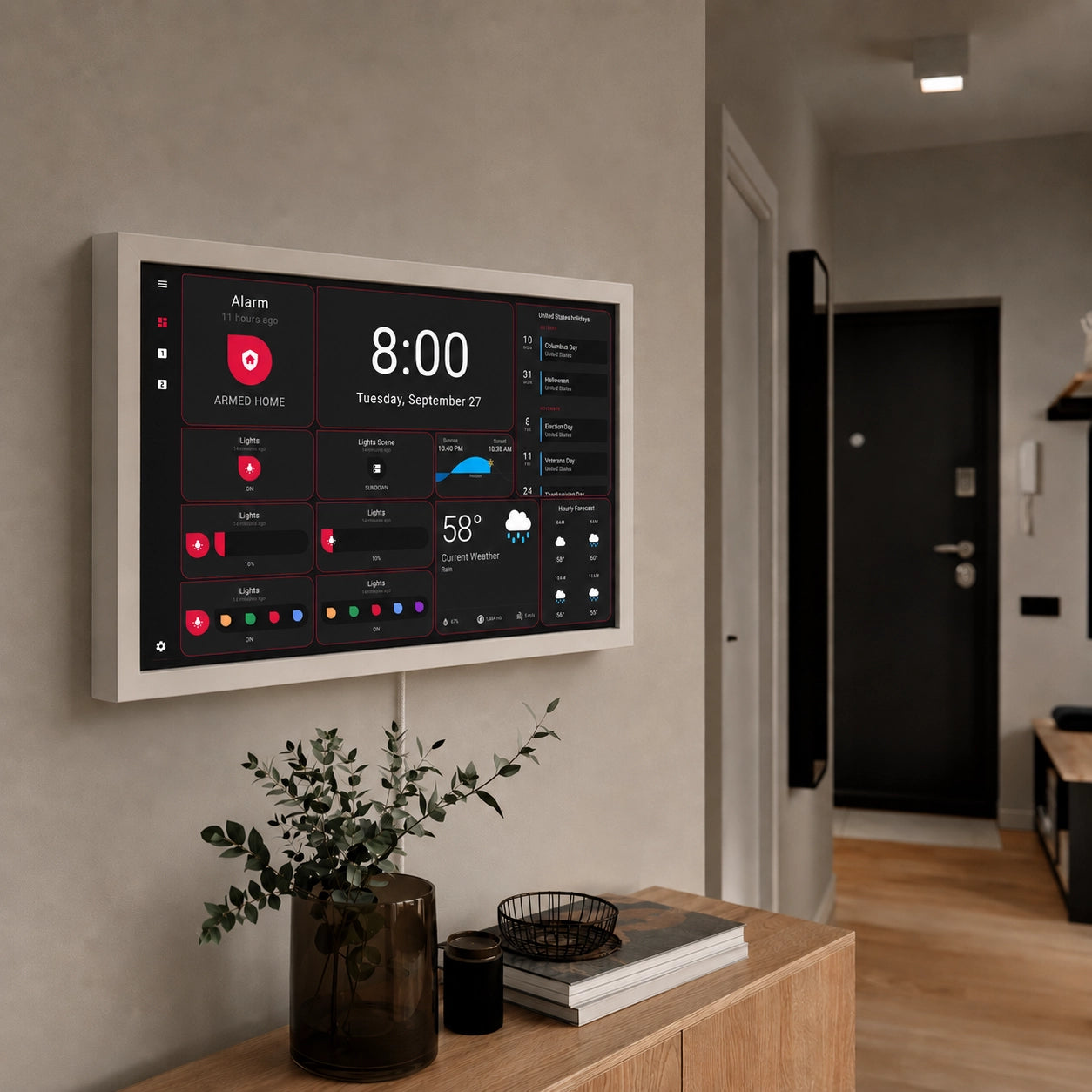
When such a display is connected using Power over Ethernet, the installation gains several practical advantages. PoE technology allows both electrical power and network connectivity to be delivered through a single Ethernet cable. This significantly simplifies deployment because there is no need to install a dedicated power outlet behind the display or hide an external power adapter inside the wall. The result is a cleaner installation with fewer visible components and fewer potential points of failure.
The networking aspect of PoE is equally important. Home Assistant dashboards often rely on a constant connection to the Home Assistant server, especially when displaying live sensor readings, security camera streams, energy monitoring data, or real-time automation status. Although modern Wi-Fi networks are generally reliable, they remain susceptible to interference, coverage limitations, roaming issues, and occasional connectivity interruptions. A wired Ethernet connection provides predictable performance and stable communication regardless of wireless conditions elsewhere in the home.
As Home Assistant increasingly becomes the digital infrastructure of modern homes, wall-mounted PoE displays offer a practical and professional way to bring that infrastructure into everyday life.
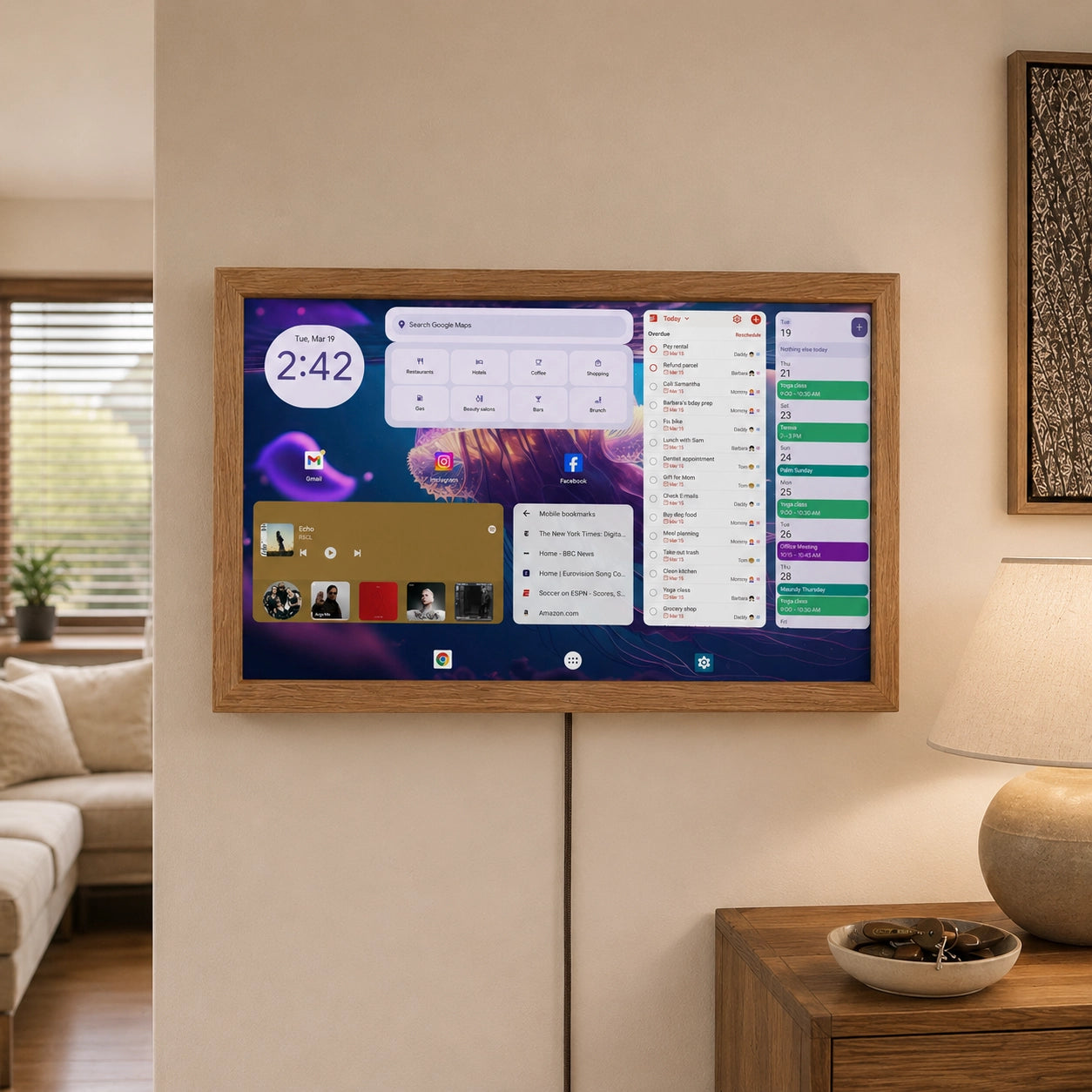
We offer customized PoE Displays ready for Home Assistant setup for which you don't need an AC mains, and you can power it from a PoE compatible switch over Ethernet cable.
2. Digital Signage e.g. Dakboard
In the world of retail, hospitality, and public spaces, PoE displays are frequently used for digital signage. They can display dynamic content and advertisements while simplifying installation and maintenance.
While DAKboard can be viewed on almost any screen, many users eventually discover that the greatest value comes from having a dedicated display permanently mounted in a highly visible location. When the dashboard becomes part of the physical environment of the home, it shifts from being an application that must be opened to a source of information that is continuously available.
Power over Ethernet technology complements this concept particularly well. By delivering both power and network connectivity through a single Ethernet cable, PoE simplifies the installation of a wall-mounted DAKboard display and eliminates many of the compromises associated with consumer devices and wireless connections.
3. Industrial Automation
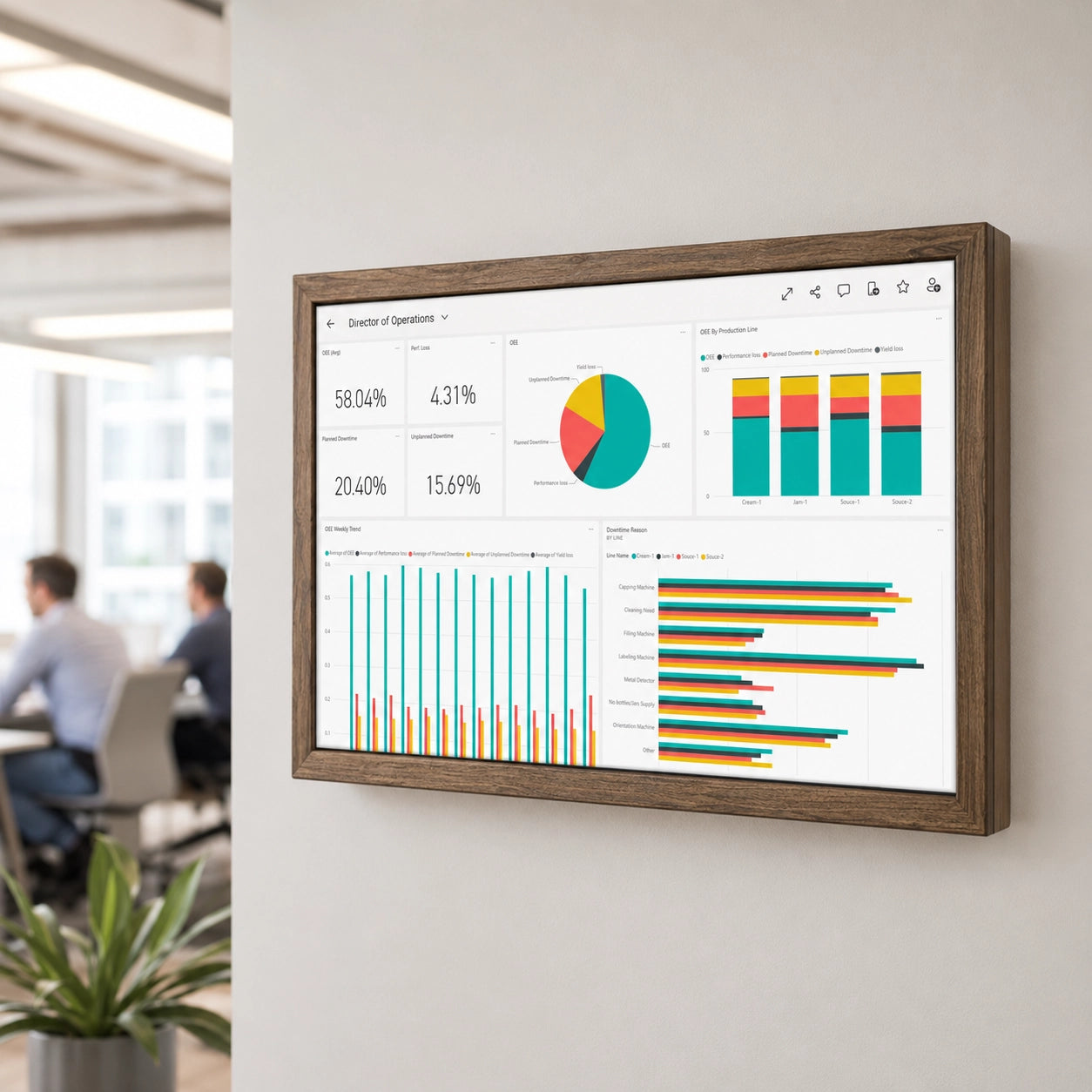
In industrial settings, PoE monitors play a critical role in monitoring and controlling processes. They can be deployed in factories and warehouses to provide real-time data and control options.
4. Building Automation
PoE displays are essential components in building automation systems. They enable centralized control and monitoring of various building systems, including HVAC, lighting, and access control.
5. Healthcare
Healthcare facilities rely on PoE monitors to display patient information, vital signs, and other medical data. These displays enhance patient care and streamline information access for healthcare professionals.
Power over Ethernet monitors are a testament to the power of innovation in the engineering and technology fields. Their ability to streamline installation, reduce costs, and provide energy-efficient solutions has made them a game-changer in various industries. Engineers, businesses, and organizations seeking to harness efficiency and versatility in their applications should consider the myriad benefits and use cases that PoE monitors offer.
By embracing Power over Ethernet technology, you can not only simplify your display installations but also contribute to a more sustainable and cost-effective approach to technology integration. In a world where time, resources, and energy are of the essence, such monitors are a promising solution that engineers should keep on their radar.