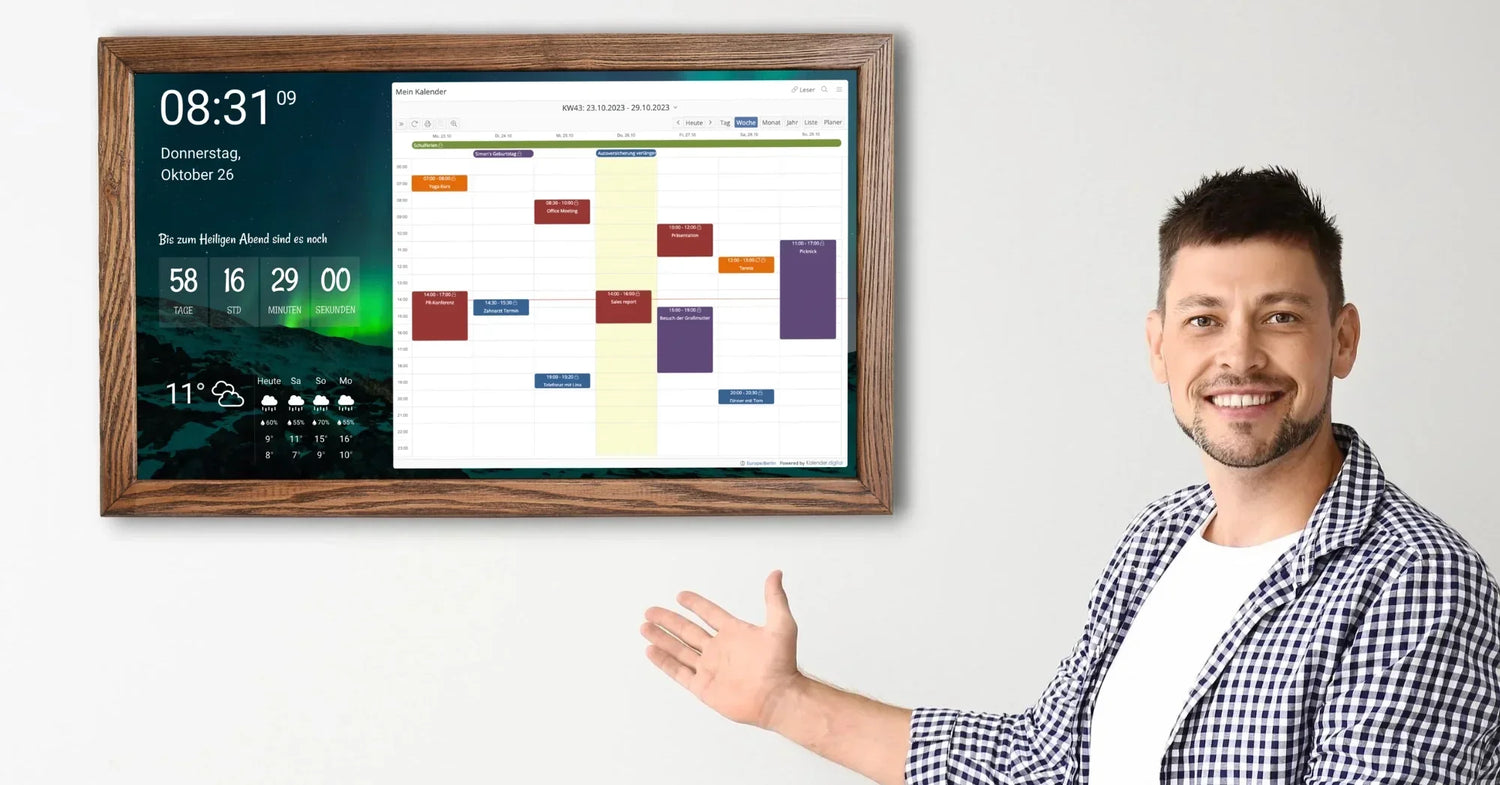
If your family's schedule lives in a mix of Google Calendar, text threads, sticky notes on the fridge, and your own overloaded memory — you're not alone. Smart wall calendars solve exactly this problem: they put everyone's schedule on a single, always-visible screen that the whole household can actually see and use.
But the market has exploded. Between DAKboard, Skylight, Hearth Display, Cozyla, Amazon Echo Show, and a dozen cheaper alternatives on Amazon, picking the right one isn't obvious. Some charge subscriptions on top of a $600+ device. Others look great in ads but frustrate you with sync delays and laggy touchscreens.
Despite we sell Dakboard display calendars, we've researched every other major option for you, compared specs, read real user reviews, and calculated total cost of ownership over 3 years, so you can make an informed decision. Here's what's actually worth buying.
Quick Picks
|
Best For |
Product |
Price |
Subscription |
Our Take |
|
Power users / Customization |
DAKboard Touch |
from $470 |
from $4.99/mo |
Unmatched layout customization, 100+ integrations, wooden frame from Smartnamgic |
|
Large kitchens |
Skylight Calendar Max 27" |
$714 |
$79/yr (optional) |
Good visibility, plastic frame |
|
Small Families |
Skylight Calendar 15" |
$394 |
$79/yr (optional) |
Well balanced of features, ease of use, and price |
|
No subscription |
Cozyla Calendar+ 2 |
$400-$900 |
None |
Full Android OS, no recurring fees |
|
Budget pick |
Amazon Echo Show 21 |
$250 |
None |
Multi-purpose (Alexa, streaming), basic calendar |
|
Child development |
Hearth Display 27" |
$699 |
$86.40/yr |
Gloss design, |
|
DIY enthusiasts |
MagicMirror + Raspberry Pi |
$50–$150 |
None |
Free open-source software, unlimited customization |
What to Look For in a Smart Wall Calendar
Before diving into individual products, here are the factors that actually matter — and the ones marketing departments hope you'll overlook.
Screen Size and Placement
A smart calendar only works if your family actually looks at it. This means placement matters more than specs. The kitchen is the most popular spot — it's where everyone passes through in the morning. A 15-inch display works well on a counter or small wall space. If you want something visible from across the room, 27 or 32 inches (available from Smartnmagic Dakboard 32 inch Calendar) is the sweet spot.
Calendar Sync and Ecosystem
The most critical feature. If it doesn't sync reliably with Google Calendar, Apple Calendar, or Outlook, nothing else matters. Two-way sync (changes on the display appear on your phone and vice versa) is essential. One-way sync means you're still managing two systems.
Subscription vs. One-Time Purchase
This is the most controversial topic in the smart calendar space. Skylight, DAKboard, and Hearth all charge subscriptions for premium features. Cozyla and Amazon Echo Show don't.
Touchscreen vs. Passive Display
Besides touch models, Smartnmagic offers Dakboard non-touch models — you configure everything from your phone or computer. It saves your budget but might not be the best option if you require a better adoption. Others (Skylight, Hearth, Cozyla) have only touchscreens so family members can interact directly. For families with kids, touchscreen makes a huge difference in adoption.
Family-Specific Features
Chore charts, meal planning, grocery lists, and rewards systems have become standard differentiators. If you have kids, these features can genuinely reduce the mental load of household management. If it's just you and a partner, a simpler calendar display might be all you need.
The Best Smart Wall Calendars: In-Depth Reviews
1. Skylight Calendar — Best for Most Families
- Available sizes: 10" ($170), 15" ($394), 27" Max ($714)
- Subscription: Skylight Plus — $79/year (optional, first month free)
- Calendar sync: Google, Apple iCloud, Outlook, Cozi, Yahoo
- Touchscreen: Yes
- Photo frame mode: Yes
Skylight setup takes under five minutes: plug in, connect to Wi-Fi, sync your calendars through the companion app, and you're done. Events from every family member's calendar appear color-coded on the display within seconds.
The free tier gives you the core calendar, chore charts, meal planning, and grocery lists. The Plus subscription ($79/year) unlocks "Magic Import" — forward any email, PDF, or photo of a school flyer, and Skylight's AI extracts dates and creates calendar events automatically. Parents of school-aged kids consistently call this feature a game-changer.
Pros: Easy setup. Reliable sync with Google Calendar (two-way). The 15" model can be a good balance between visibility and price. Chore chart with star rewards gets kids engaged. Photo screensaver mode means it's not a dead screen when you're not checking the calendar.
Cons: Premium features (meal planning AI, Magic Import) are locked behind the subscription. Fingerprints on the touchscreen are very visible.
Best for: Families with kids who want a dead-simple setup and don't mind a modest annual subscription. If you primarily use Google Calendar, Skylight's two-way sync works well.
_____________________________________________________________________________
2. DAKboard — Best for Customization and Power Users
- Available sizes: Touch 15" ($448), Touch 24" ($849), 32" 4K Touch ($1299)
non-touch 24" ($711), non-touch 32" ($956), - Subscription: Free tier available; Essential $4.99/mo, Plus $9.99/mo
- Calendar sync: Google, iCloud, Outlook, Facebook, and 100+ integrations
- Touchscreen: 22" Touch model only
- Photo frame mode: Yes (central feature)
DAKboard takes a fundamentally different approach than Skylight. Where Skylight is a family calendar that happens to show photos, DAKboard is a customizable family dashboard that happens to include calendars and much more. You can drag and drop various "blocks" to create completely custom layouts: calendar views, weather, news feeds, to-do lists, photos from Flickr or Google Photos, sports scores, financial data, smart home status, and much more.
This flexibility is both DAKboard's greatest strength. Setup requires though more time and patience but it is worth it. You configure everything through the DAKboard website, not on the device itself. The learning curve is real, but the ceiling is higher than any competitor.
DAKboard also has a strong DIY community. You can run the software on any Raspberry Pi connected to a monitor, which means you can build a custom wall display at a fraction of the cost of buying their hardware.
Pros: Unmatched customization — if you can imagine a dashboard layout, you can build it. Over 100 integrations including smart home systems (Home Assistant, SmartThings, Ecobee). Gorgeous photobackgrounds with calendar overlay. DIY option with Raspberry Pi saves hundreds. Free tier is genuinely usable for basic needs. The 32-inch 4K model (from $956) is the most visually impressive smart calendar on the market.
Cons: Not ready out of the box — no built-in chore charts, meal planning, or kid features. Some features (like faster refresh rates and more than two calendars sync) are locked behind paid tiers. But it is the only digital calendar that comes in solid wooden frame, any size, from 15 inches to 32 inches all are dressed into various wooden frames that will fit your interior.
Best for: Tech-savvy users who want a dashboard that does way more than just calendar. Home office displays. Digital signage. People who care more about data density and customization than family-friendly features.
_____________________________________________________________________________
3. Hearth Display — Best for Child Development and Routines
- Available sizes: 27" only
- Price: $699
- Subscription: Family Membership — $86.40/year (annual) or $9/month; 30-day free trial
- Calendar sync: Google, iCloud, Outlook
- Touchscreen: Yes
- Photo frame mode: Yes (with subscription)
Hearth Display was designed in collaboration with child development specialists and psychologists, and it shows. The product focuses not just on scheduling, but on building healthy habits for kids. Routines use intuitive icons and age-appropriate visuals. Kids can check in on their feelings with 16 expressive emojis, and parents get "Feelings Reports" — a window into their child's emotional world.
The 27-inch touchscreen is installed on your wall with a custom mount and is designed to look like a framed photo. The anti-glare screen ensures clear visibility in bright kitchens. The Hearth Helper AI can import events from photos of paper calendars, school newsletters, and party invitations.
Pros: Attractive design that blends into home decor. Routines for kids. Feelings check-in is unique and useful. The wall mount is included. AI-powered event import from photos works well.
Cons: Most expensive option at $699 + subscription. Only available in 27" — no smaller/cheaper option. The companion app is web-based, not a native mobile app, which feels clunky. Limited to calendar/organization use case only.
Best for: Families with young children who value structured routines, emotional wellness features, and modern design. If you want a calendar that also helps raise your kids, Hearth might fit this space.
_____________________________________________________________________________
4. Cozyla Calendar+ 2 — Best Value (No Subscription)
- Available sizes: 15.6", 24", 32" (starting around $400)
- Subscription: None — one-time purchase
- Calendar sync: Apple, Google, Outlook, CalDA V , URL-based calendars
- Touchscreen: Yes
- Photo frame mode: Yes
- Bonus: Full Android OS with app store access
Cozyla is the anti-subscription play in this market. You pay once, and every feature is included. No paywalls, no tiers, no annual fees. The device runs Android 14 with access to the Google Play Store, which means it's not just a calendar — it's a full tablet mounted on your wall.
This is both a feature and a potential downside. You can install Ring, YouTube, Netflix, Spotify, or any other Android app. Your kids can browse the web. Whether that's a pro or a con depends entirely on your family's screen time philosophy.
The Calendar+ 2 supports up to 8 user profiles with individual color coding. Built-in Google Assistant and Alexa support means you can add events by voice.
Pros: Zero subscription — ever. Full Android means unlimited extensibility. Google Assistant and Alexa built in. Up to 8 profiles. The 32" model is stunning. Rotating wall mount option lets you switch between portrait and landscape.
Cons: Being a full Android tablet is also a distraction risk. Build quality and software polish don't match Dakboard or Hearth. The CalendarOS app is functional but not as refined as competitors. Setup is more involved than Skylight. Customer support is less established.
Best for: Families who hate subscriptions and want a versatile device. Tech-comfortable households who want a wall-mounted Android tablet that happens to be a great calendar.
_____________________________________________________________________________
5. Amazon Echo Show 21 — Best Budget Multi-Purpose Option
- Available sizes: 21" (also 8", 10", 15")
- Price: ~$250
- Subscription: None
- Calendar sync: Google, Apple, Microsoft
- Touchscreen: Yes
- Voice control: Full Alexa integration
The Echo Show 21 isn't a dedicated calendar device — it's Amazon's largest smart display that also shows calendars. But it is for families who want a single device that handles calendar display, video calls, streaming, smarthome control, and music.
Calendar functionality is basic compared to dedicated options: you get widget-based calendar views, reminders, and shopping lists. There are no chore charts, no meal planning, no color-coded family profiles. But Alexa integration means you can add events by voice, ask "what's on my calendar today?" from across the room, and get proactive reminders.
Pros: Lowest price for a large touchscreen display. Alexa ecosystem is mature and reliable. Streams Netflix, Prime Video, YouTube. Built-in camera for video calls. No subscription. Multi-room audio support.
Cons: Calendar is a secondary feature — it's a smart display that shows calendars, not a calendar with smart features. No dedicated chore/routine/meal planning tools. No customization. Alexa ads and suggestions can be intrusive. The display tries to do too many things, which means it's often showing something other than your calendar and what you want.
Best for: Budget-conscious families who want a "good enough" calendar view plus Alexa, streaming, and smart home control in one device. Not ideal if your primary need is family schedule management.
_____________________________________________________________________________
6. MagicMirror + Raspberry Pi — Best DIY Option
- Price: $50–$150 (Raspberry Pi + monitor)
- Subscription: None — fully open source (MIT license)
- Calendar sync: Any iCal/CalDA V source
- Touchscreen: Optional (depends on your monitor)
- Customization: Unlimited (community modules)
MagicMirror is a free, open-source platform originally designed for smart mirrors but widely used as a family dashboard. It runs on a Raspberry Pi connected to any monitor or TV . The community has created thousands of modules: calendars, weather, news, Spotify, public transit, smart home, and much more.
This is the option for people who enjoy building things. Setup requires command-line skills, editing configuration files, and troubleshooting. There's no companion app, no drag-and-drop interface, and no customer support line. But the trade-off is complete control and zero ongoing cost.
Pros: Completely free. Runs on hardware you may already have. Unlimited customization through community modules. No company can paywall features or shut down the service. Active community on GitHub, Reddit, and Discord.
Cons: Requires technical skills (Linux, command line, JavaScript basics). No out-of-the-box family features. Setup can take hours or days. The interface is black-and-white by default. No official mobile app for remote management. You're your own tech support.
Best for: Tinkerers, Raspberry Pi enthusiasts, and anyone who values open source and complete control over their setup. Great weekend project.
Comparison Table: All Products Side by Side
|
Feature |
Skylight |
DAKboard |
Hearth |
Cozyla |
Echo Show |
MagicMirror |
|
Price |
$300 |
from $470 |
$699 |
~$500 |
$250 |
$50–$150 |
|
Annual subscription |
$79 |
$60–$120 |
$86.40 |
$0 |
$0 |
$0 |
|
|
|
|
|
|
||
|
Screen size |
15" |
15"-32" |
27" |
24" |
21" |
Any |
|
Touchscreen |
Yes |
Yes |
Yes |
Yes |
Yes |
Optional |
|
Calendar sync |
Google, Apple, Outlook |
100+ sources |
Google, Apple, Outlook |
Google, Apple, Outlook |
Google, Apple, Outlook |
Any iCal |
|
Chore chart |
Yes |
No |
Yes |
Yes |
No |
Via module |
|
Meal planning |
Yes (paid) |
No |
Yes (paid) |
Yes |
No |
No |
|
Photo frame |
Yes |
Yes |
Yes (paid) |
Yes |
Yes |
Via module |
|
Voice control |
No |
No |
No |
Yes (Google/Alexa) |
Yes (Alexa) |
No |
|
Streaming apps |
No |
No |
No |
Yes |
Yes |
No |
|
Setup difficulty |
Very easy |
Moderate |
Easy |
Moderate |
Very easy |
Hard |
How to Choose: Decision Flowchart
Do you have kids at home?
Yes → Do you want flexibility, customization and dashboards? → DAKboard
Yes → Do you value structured routines and emotional wellness? → Hearth Display
Yes → Do you want the simplest setup possible? → Skylight
Yes → Do you refuse subscriptions? → Cozyla
Yes → Do you want basic calendar + Alexa/streaming? → Echo Show 21
Are you a tinkerer?
Yes → MagicMirror on Raspberry Pi
Frequently Asked Questions
Do smart wall calendars work without Wi-Fi? Most require Wi-Fi for initial setup and calendar syncing. Once events are synced, some (like DAKboard) can display cached content offline, but none update without an internet connection. This is rarely a practical issue since these devices are designed to stay in one place, plugged in and connected.
Can I use a smart calendar without a subscription? Yes. Skylight, DAKboard, and Hearth all offer free tiers with basic functionality. Cozyla and Echo Show have no subscription at all. MagicMirror is completely free. However, the best features are often behind paywalls.
Is a dedicated smart calendar better than just using a tablet? A tablet can do everything a smart calendar does — and more. The advantage of a dedicated device is focus. There's no email to check, no games to play, no notifications to distract. When you walk past a Dakboard in your kitchen, it shows your calendar. When you walk past an iPad, it might show whatever your kid was playing last.
How do these handle privacy? All major brands sync through cloud services (Google, Apple, Outlook), so your calendar data passes through their servers. DAKboard and Cozyla run on standard platforms (web/Android) where standard privacy practices apply. Hearth stores data on AWS. MagicMirror is the most private option since everything runs locally on your Raspberry Pi.
What's the best placement for a smart wall calendar? Kitchen, near the main entry point. The goal is a spot the entire family sees every morning. Counter placement works for 15" models. Wall mounting is better for 24"+ screens.
Final Verdict
For most families in 2026, the Dakboard offers the best combination of flexibility, customization, reliable calendar sync, and 100+ integrations though at a higher price tag. It does for sure one thing very well — keeps your family organized — without overcomplicating the experience. If you hate subscriptions, the Cozyla Calendar+ 2 is the smart choice. You pay once and get a full-featured device with Android flexibility.
And if you're the kind of person who reads this blog, there's a good chance you'll enjoy building a MagicMirror setup that does exactly what you want, for a fraction of the price.
Whichever you choose, the key is placement. Put it where your family naturally gathers — usually the kitchen — and you'll wonder how you ever managed without it.
Have questions about a specific model? Drop a comment below or check out our detailed comparison: Skylight Calendar vs DAKboard: Which Smart Wall Calendar Is Actually Worth It?


